
Meet
The part that keeps you moving.
What Fin shows, what it can do, and what it will never do.
Knowing what is left is only useful if it gets you somewhere. Fin is the part of Xfin that turns a number into a direction: it answers in your own figures, records what you spend without a form, and keeps the connection visible between what you do this week and the thing you said you were saving for.
On this page
What the screen shows
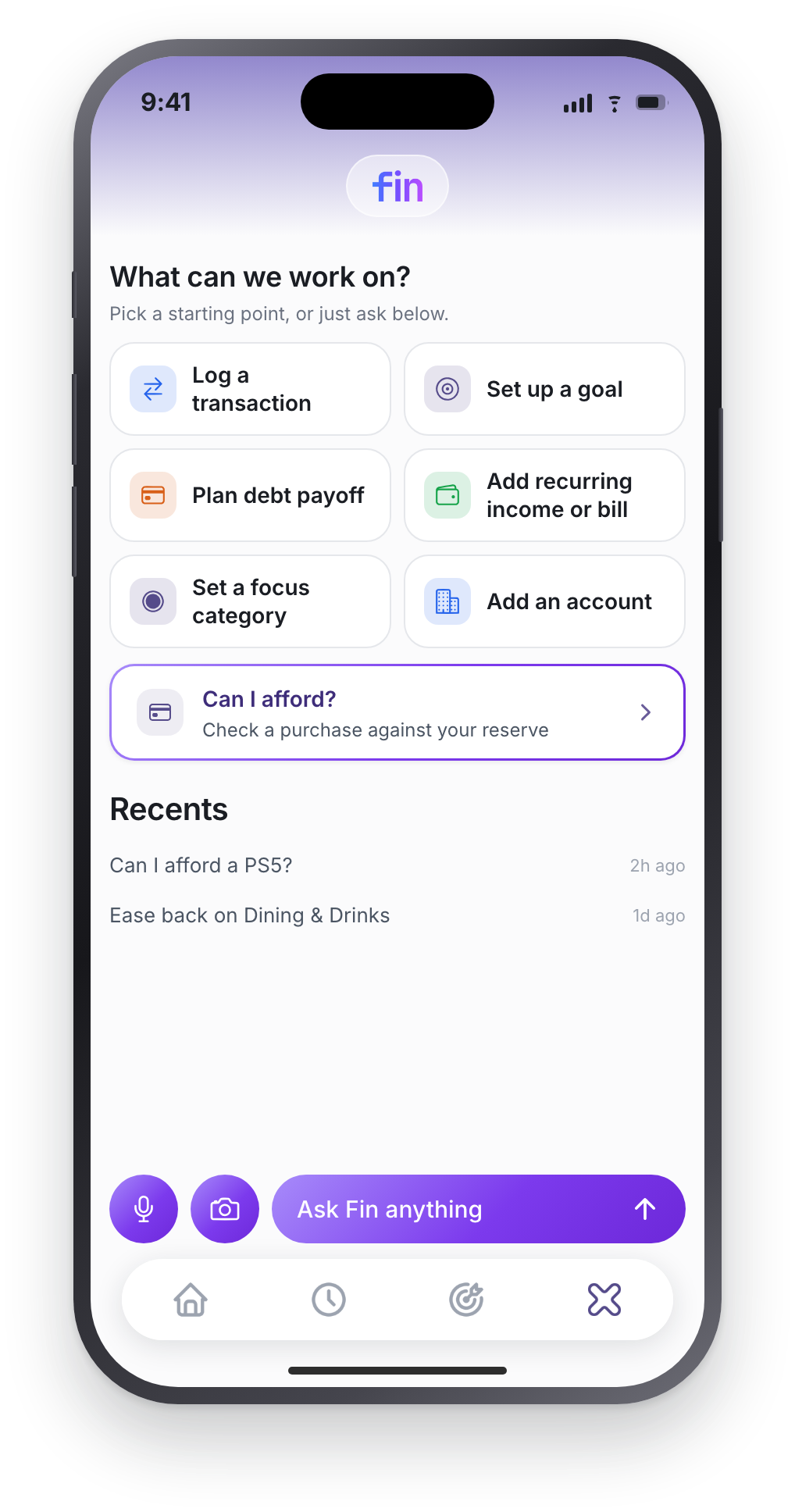
Six starting points, because a blank chat box is a bad way to begin: Log a transaction, Set up a goal, Plan debt payoff, Add recurring income or bill, Set a focus category, Add an account. Under them sits Can I afford?, and under that your recent conversations, so picking up where you left off is one tap.
The bar at the bottom has a microphone, a camera, and Ask Fin anything. You are never obliged to use the tiles. They exist so you do not have to think of the phrasing.
Can I afford it?
The question the app is built around. Ask it in your own words, “can I afford a $200 dinner?”, and Fin checks the amount against your reserve, tells you what it leaves, and stops. It does not lecture, and it does not pretend the answer is no when it is not.
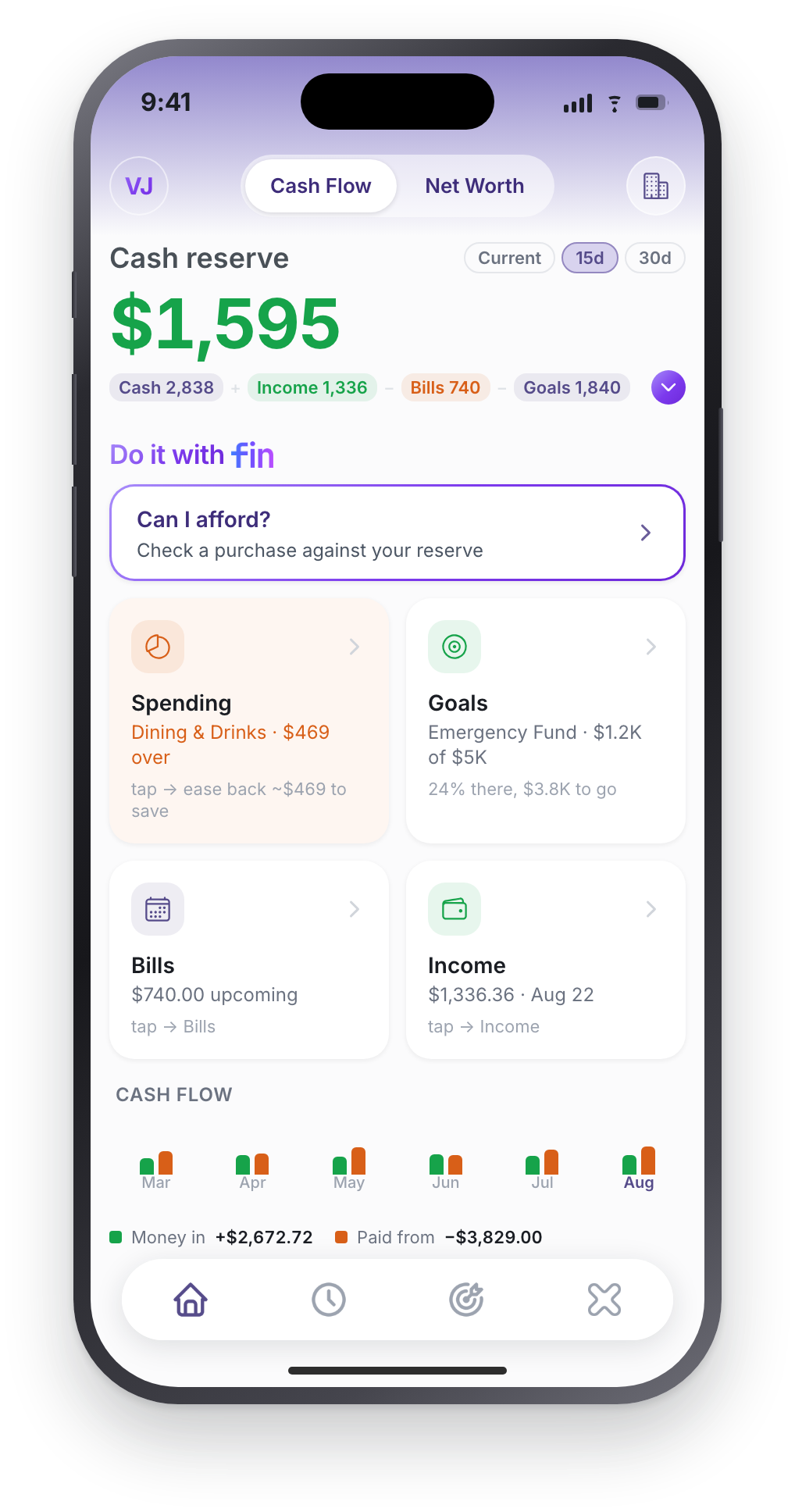
You can also run the same arithmetic here without the app.
Logging, and which account it lands in
Say what you spent and it is recorded. “I spent $45 on lunch”, “coffee $6”. If you leave out the amount. “I got coffee”. Fin asks for it rather than inventing one.
With more than one account
This is where most assistants get sloppy. Fin does not guess:
- One account? It uses it, silently. Asking would be theatre.
- Several, and you named one? “coffee $6 on my Visa” resolves straight to that account.
- Several, and you did not? It asks, “Which account should I record this to?”, and shows your accounts as tappable options rather than making you type.
- Named something it cannot match? It says so and lists what you actually have, instead of quietly picking the wrong one.
It also guards against the double-log: say the same thing twice in a day and it asks whether this is a second one rather than silently creating a duplicate.
How Fin keeps a goal in view
This is the part that makes the number worth having. Three things happen without you asking for them.
- It names the lever On the Goals tab, Fin picks your biggest flexible category and tells you what easing it buys: “Ease back ~$60.00/mo on Dining & Drinks and Emergency Fund arrives about 3 months sooner.” Real arithmetic against your own history, not a platitude about lattes.
- It warns you before a goal slips If your last 30 days of spending projects less than the goal needs each month, you get told. “Spending pace will miss Emergency Fund”. Along with which category is the fastest lever. Before, not after.
- It remembers what you are working toward Xfin asks two questions at setup: what brings you here, and whether there is anything you are working toward. Fin carries both into every conversation, so you are not re-explaining yourself each time.
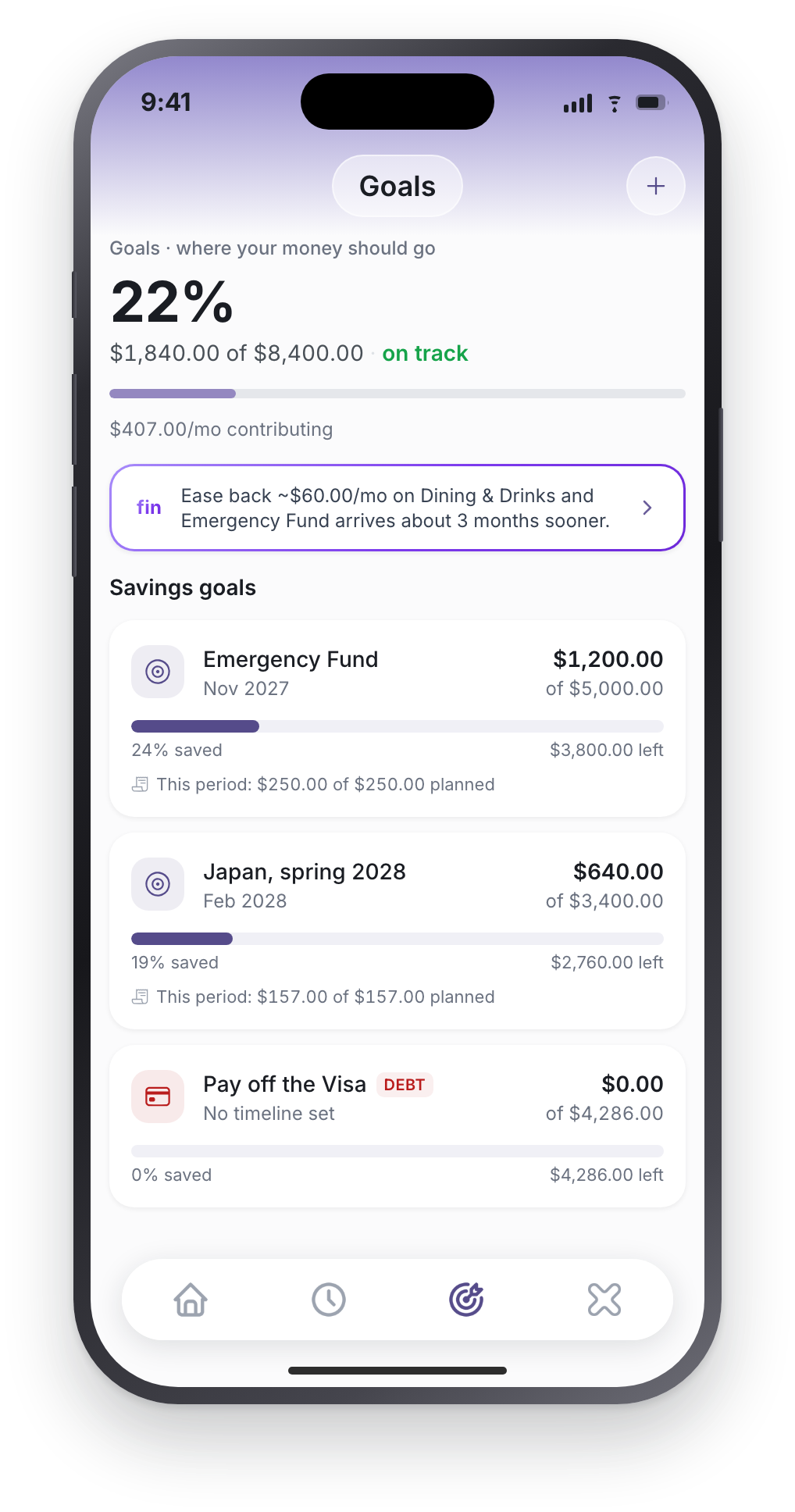
You also get told at the milestones that matter (halfway, three quarters, and the moment a goal reaches 100%) each once per goal, and each one you can switch off.
Being straight about the reminders. These are worked out on your device when you open the app, then scheduled locally. They do not fire while the app is force-quit, and nothing about your goals is being watched on a server. We would rather say that than let you assume otherwise.
What writes, and what waits
Four things are written the moment you ask, because confirming them twice is friction with no payoff: logging a transaction, adding a recurring bill, adding recurring income, and adding a manual account.
Everything else (creating a goal, setting a focus, changing or deleting anything) shows you a card first, with a button naming exactly what it will do: Create Goal, Set Focus, Update Transaction, Delete Account. Deletions ask a second time.
And Fin will not claim it did something it did not. There is a layer whose only job is to strip a completion claim out of any reply where the write did not actually happen. If it failed, you get told it failed.
What Fin will not do
- Move money. No transfer, no payment, no account-number capability anywhere in the app. Bank access through Plaid is read-only.
- Set you a dollar budget. Ask for one and it will decline and offer a focus instead. A direction against your own history rather than a cap you will abandon.
- Rule on whether a purchase is wise. It reports what is planned, what is not, and what is left, and stops there.
- Give investment advice. Language promising guaranteed returns is stripped server-side before it can reach you. Fin is not a financial advisor and the app says so under every answer.
- Ask about your job. It is a money assistant, not a career tool, and it is instructed never to ask about employment, title, industry or education.
There is a fair-use allowance that resets at the start of each month, and a short cool-off if you send a burst of messages. Normal use meets neither.
What Fin sees about you
A summary of your figures, not your raw records. The name you gave an account is replaced with a generic label, goal names are too, your own notes are dropped, and balances are rounded into ranges before anything leaves your phone.
What does go: your totals, your last ten merchants with amounts rounded to the nearest $5, the bank each account belongs to, your categories, and anything you have asked Fin to remember. Conversations stay on your phone and are deleted after 14 days of no activity unless you star them. The privacy policy lists all of it, and Settings has a Fin memory screen where you can read and clear anything it has remembered.
Related
Phrases that work · Questions and answers · Can I afford it? · Privacy policy